Start here if creator tools feel confusing.
Learn what the main areas mean, then choose one small step to practice. This page is a map, not a required course.
Orientation before practice
Find the area, understand the word, then use the matching drill.
01
Pick
02
Tag
03
Read
First, find the main areas.
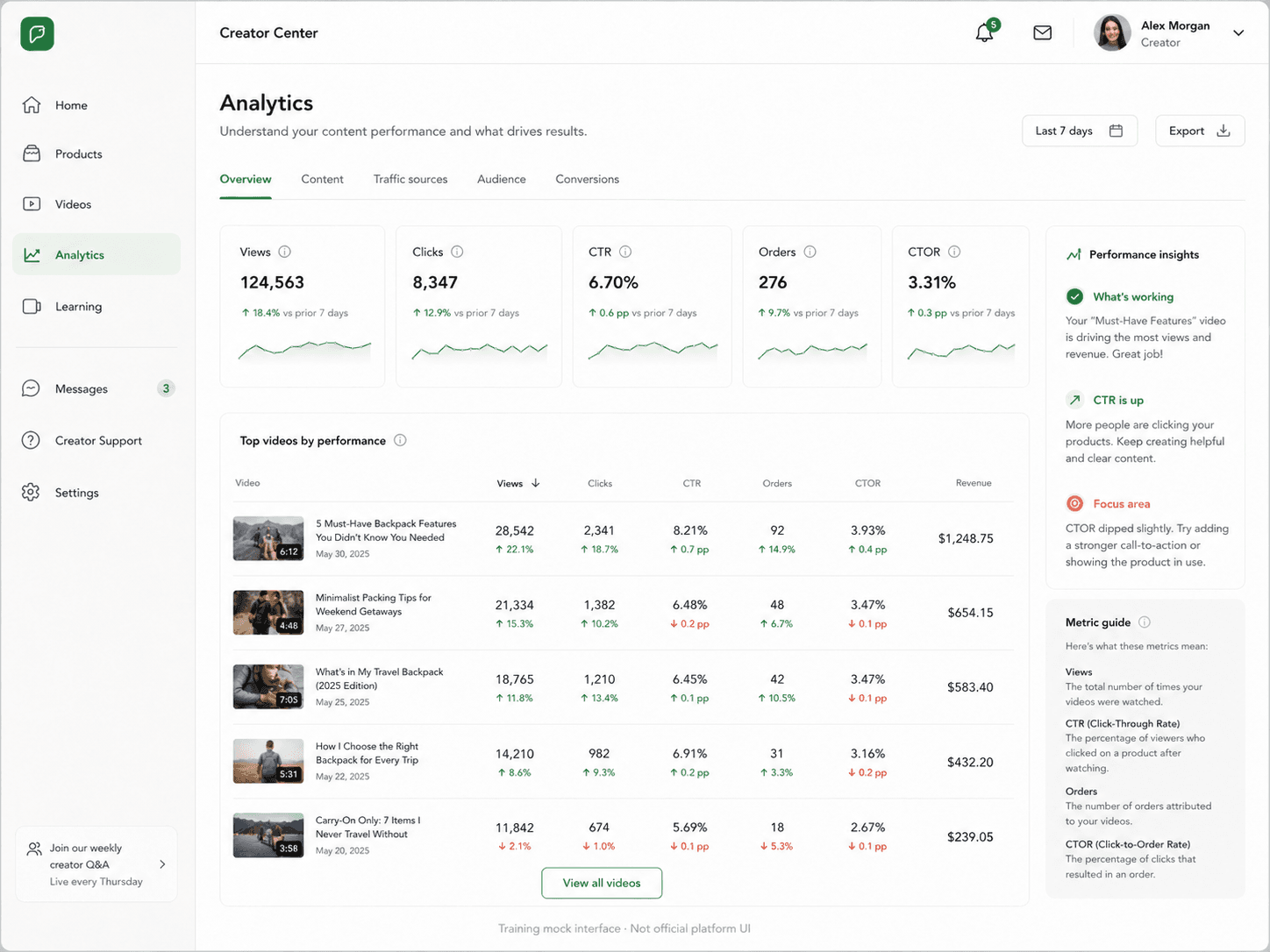
These are non-official training mocks. They show the kind of areas a beginner may need to recognize before practicing product choice, tagging, or metric reading.
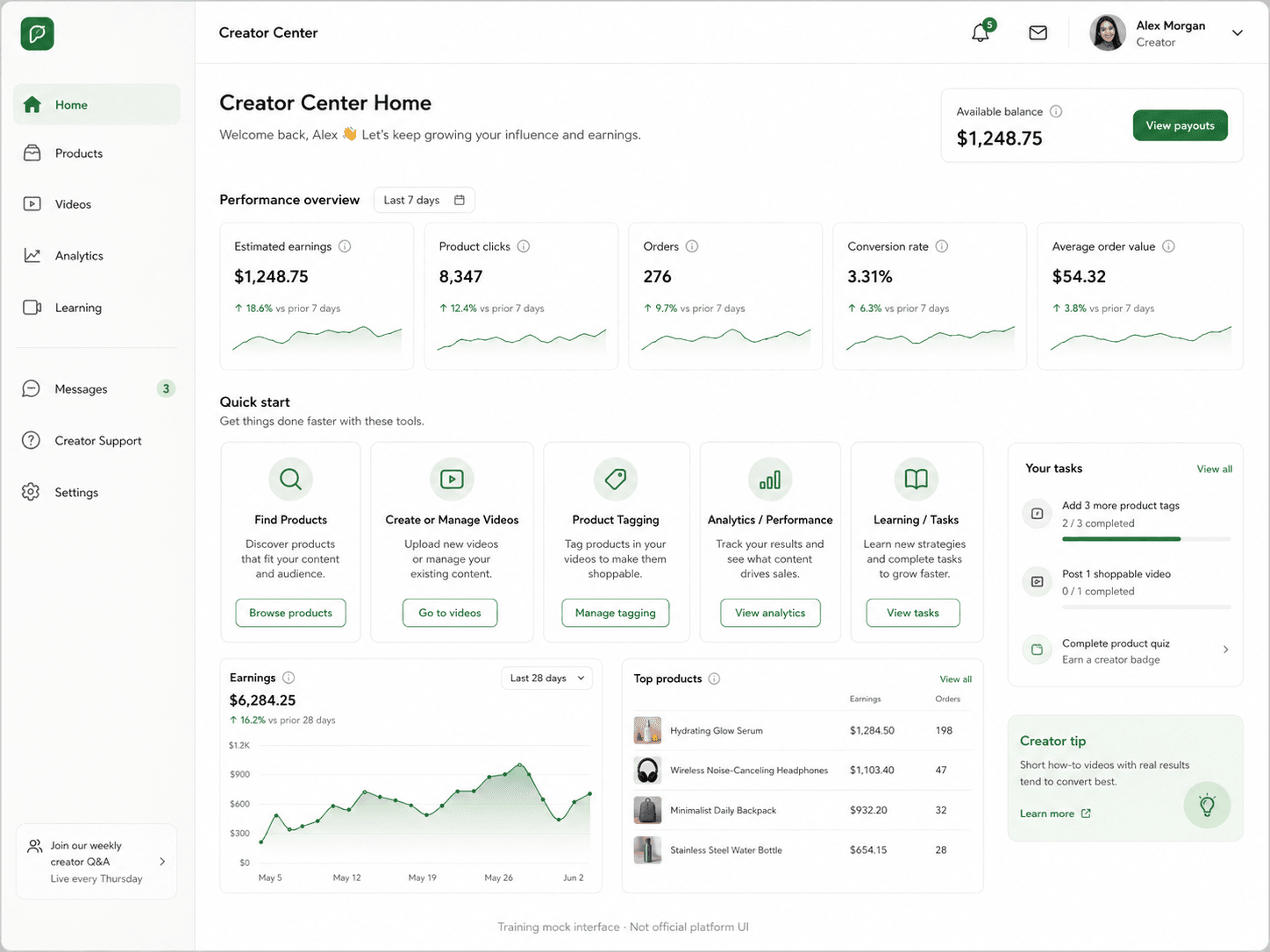
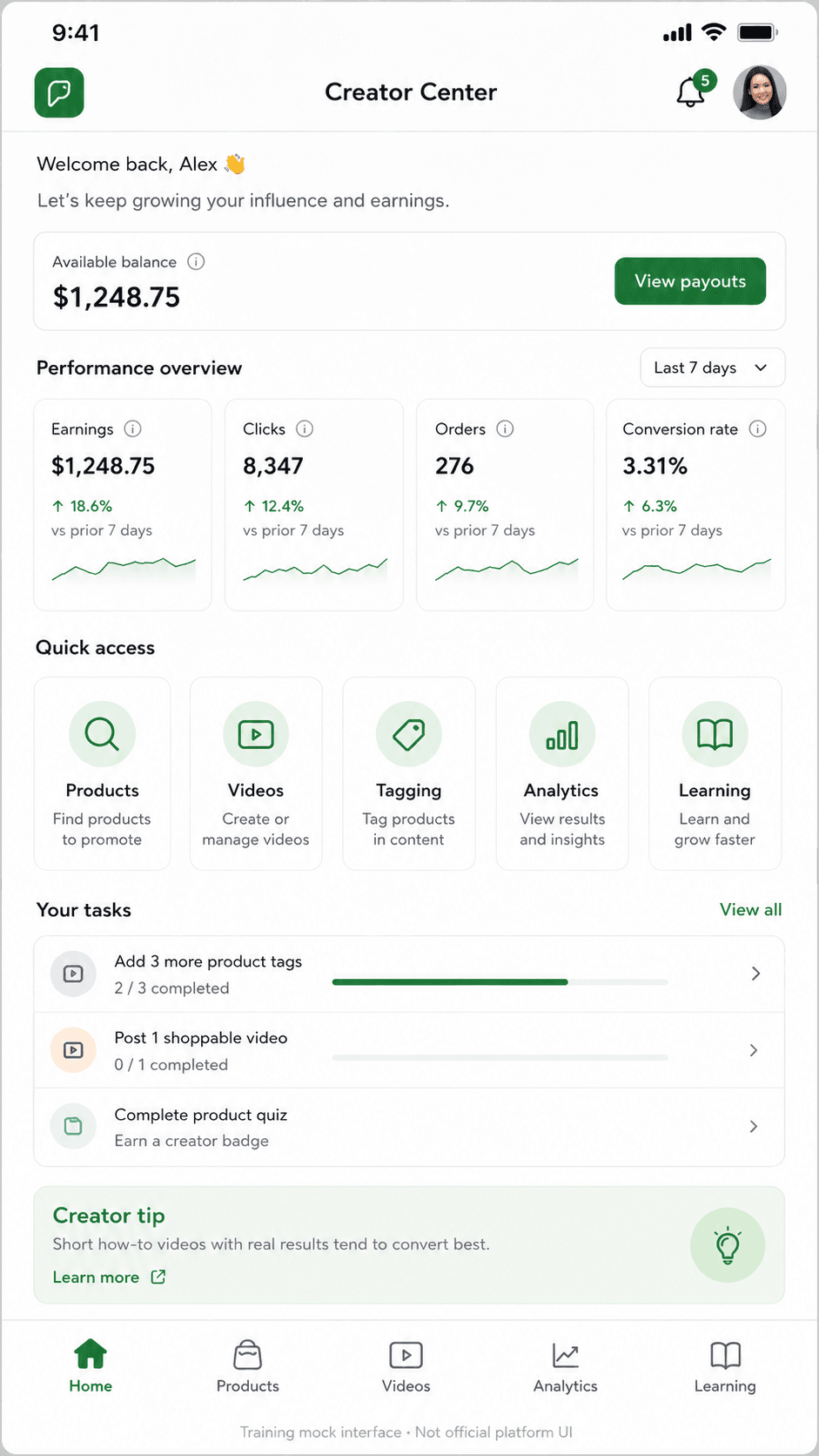
On desktop, core functions are usually visible in side navigation.
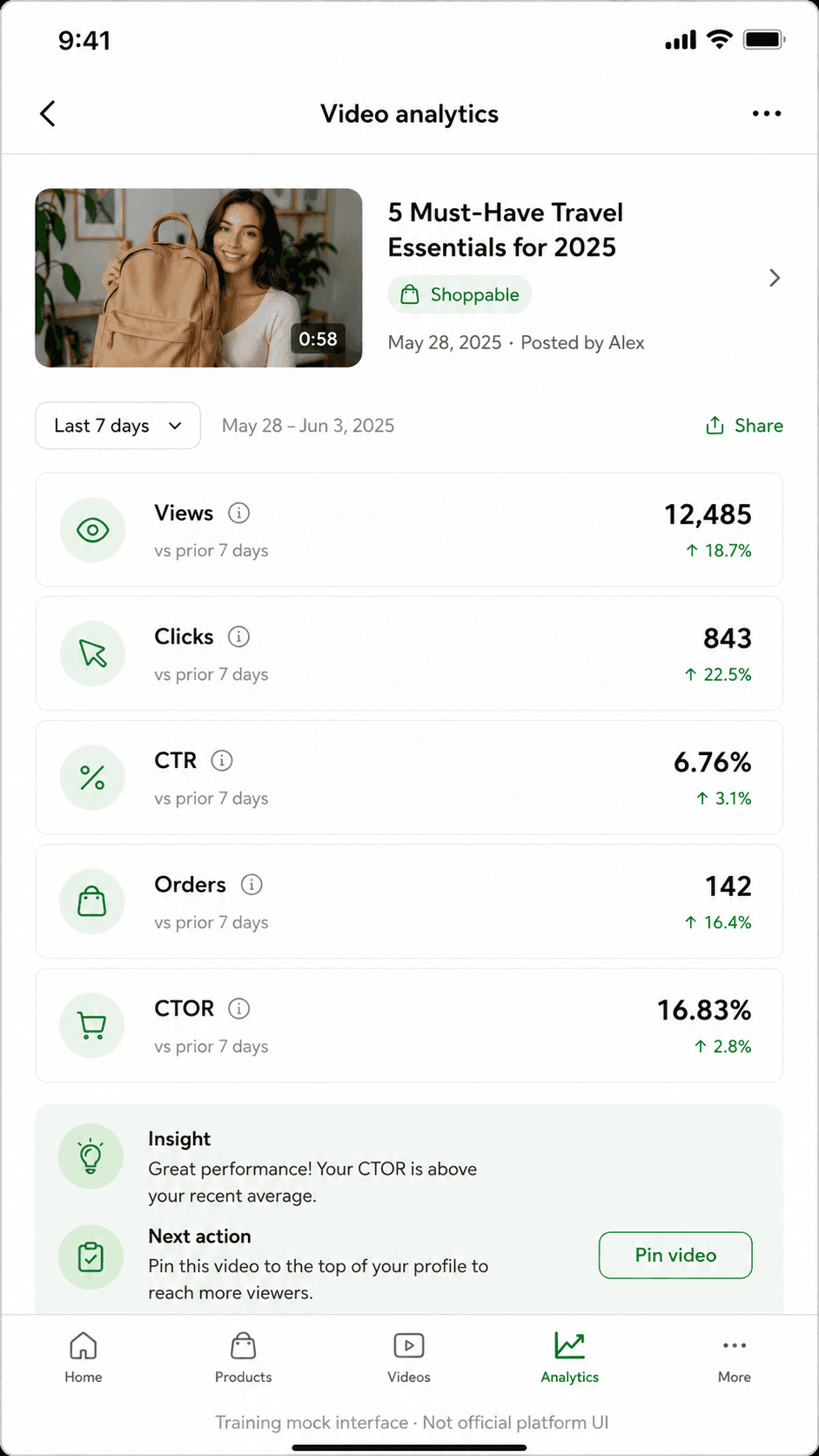
On mobile, those functions are usually compressed into cards, tabs, or bottom navigation.
Products / product discovery
Where creators browse products and decide what might be clear enough to promote.
Videos / product tagging
Where a product card is connected to a video after the product has a reason to appear.
Analytics / results
Where views, clicks, CTR, orders, and CTOR help point to one next change.
Learning / tasks
Where beginner prompts, checklists, or practice tasks may appear in a creator workspace.
Pick the area you want to understand first.
Product Pick now has a guided walkthrough. Product Tagging and Metrics are still basics and orientation entries before their manual practice tools.
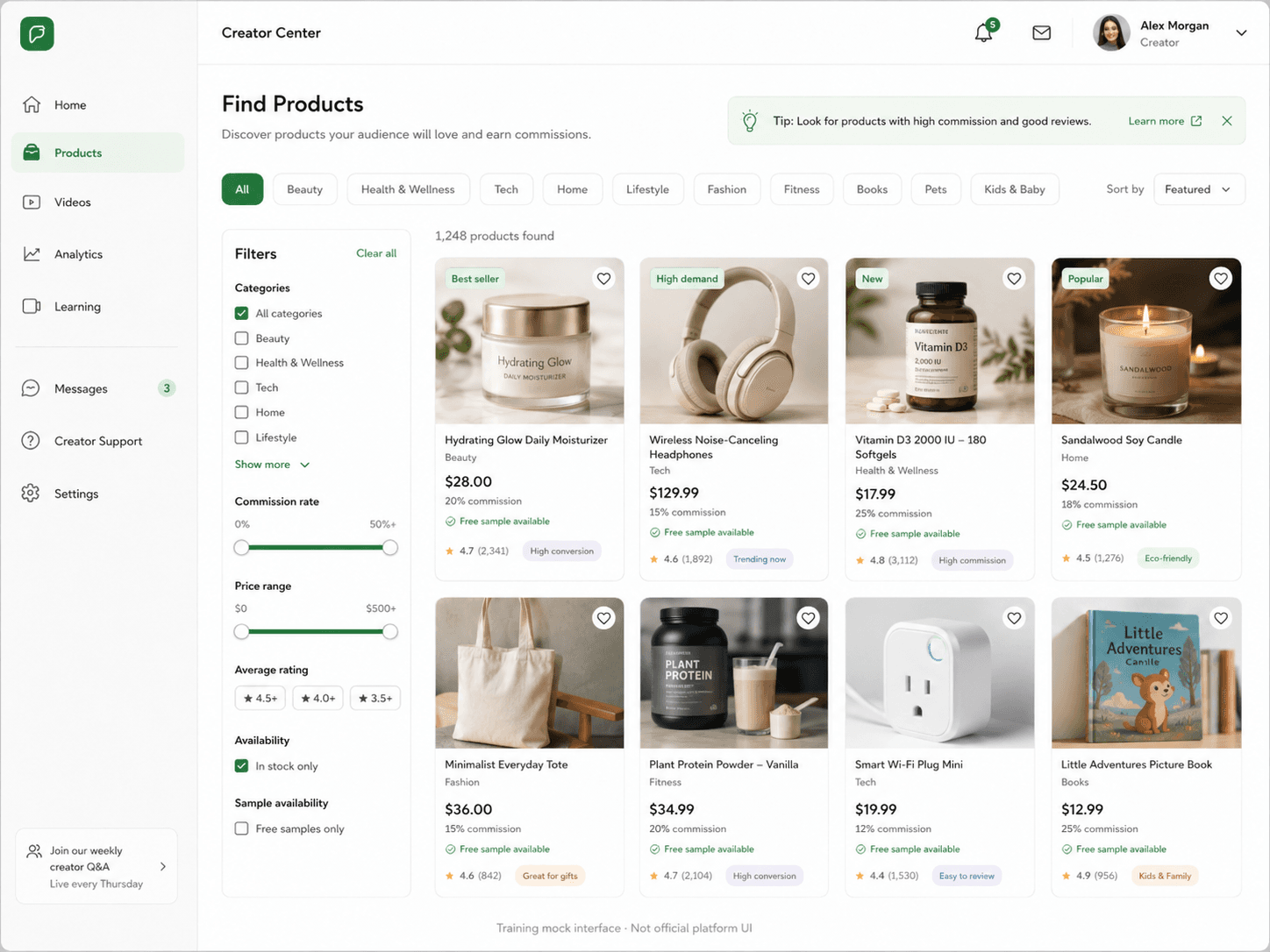
Product Pick basics
Walk through product discovery signals before comparing training products yourself.
Guided walkthrough available
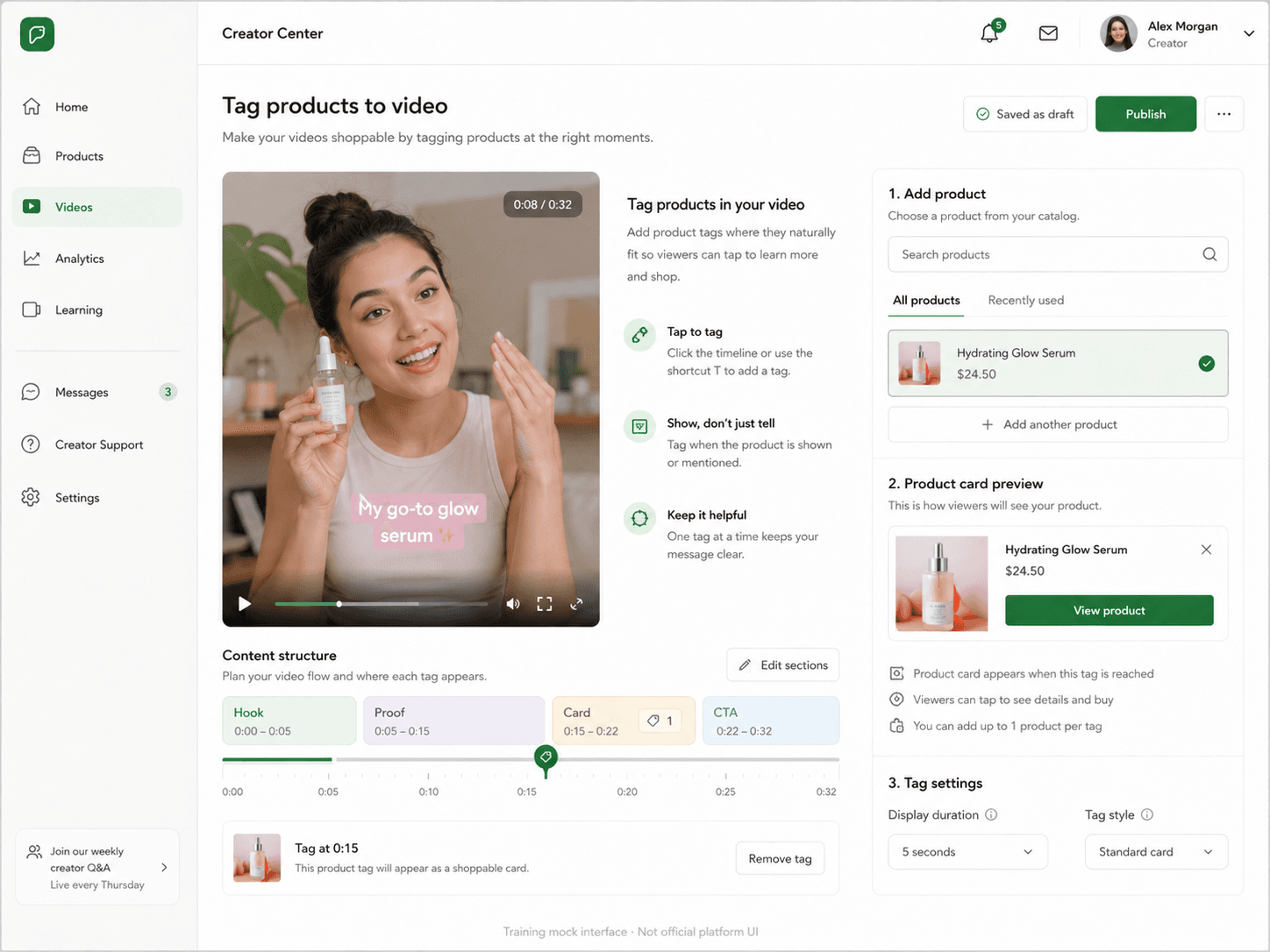
Product Tagging basics
Learn what a product card is and when it fits into a simple video.
Basic orientation now · practice tool next
Metrics basics
Learn what views, clicks, CTR, orders, and CTOR mean before reading mock results.
Basic orientation now · practice tool next
Understand one area, then enter the drill.
Each section names what the area means, what to look at first, and one small decision to make before practicing.
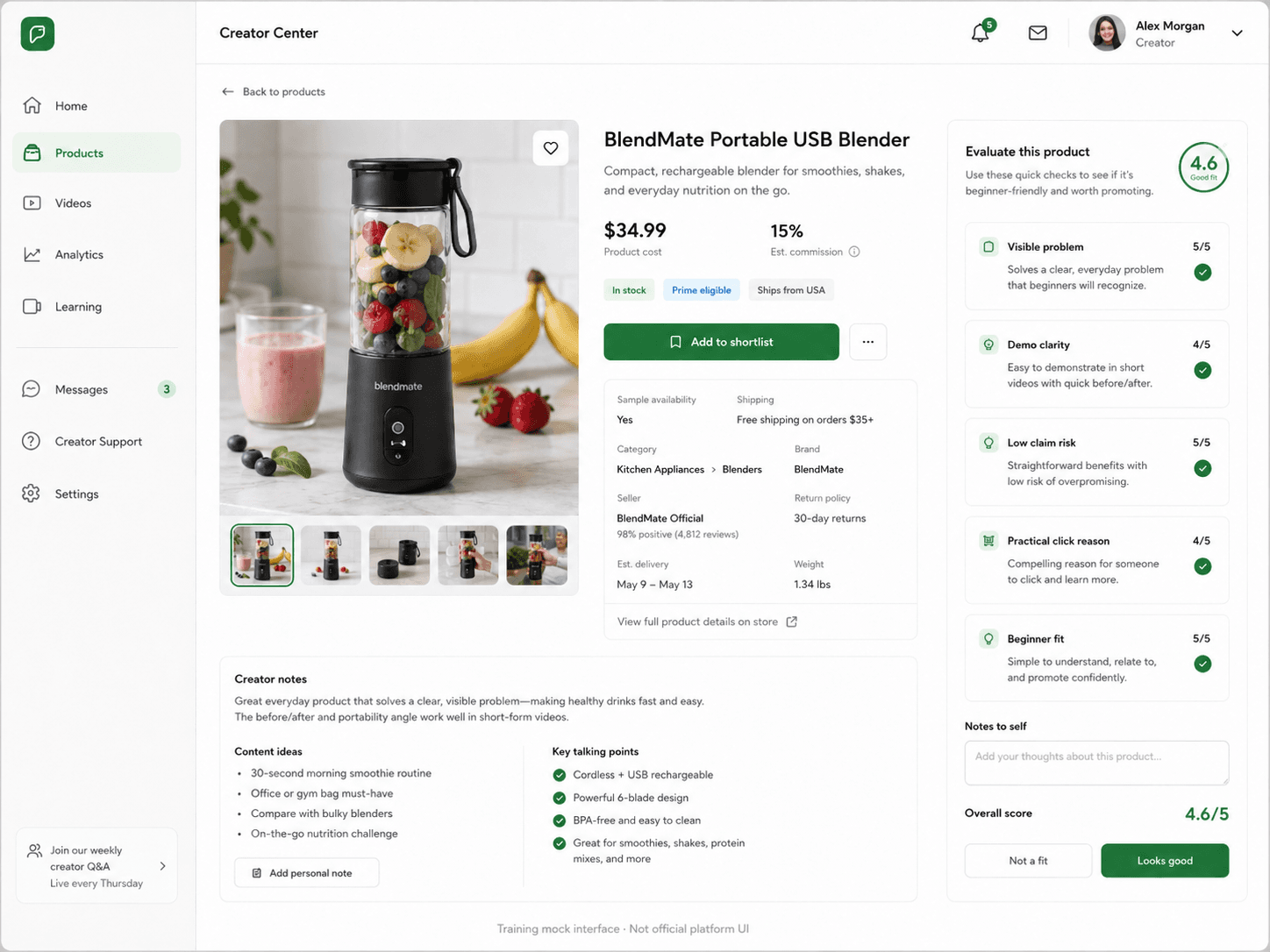
Product discovery is where you decide what is worth a practice test.
A product discovery area is a training shelf for possible products. Browse first, then inspect the product detail screen before deciding whether the product has a clear video idea.
Tiny decision
Can I show why this product matters in one short scene?
Image or demo potential
Price and commission
Sample availability
Category and beginner fit
Claim risk or hard-to-prove benefits
Product tagging connects a product card to the right video moment.
Tagging is not just attaching a product somewhere. The card should fit the video after the viewer has seen the problem, the proof, or the product's role.
Tiny decision
Has the viewer already seen a reason to click?
Video preview
Selected product
Product card preview
Timeline or card timing
CTA moment
Metrics show where viewers stopped moving forward.
Read results in order instead of trying to fix every number. Views show attention, clicks and CTR show product interest, and orders and CTOR show purchase action.
Tiny decision
Which metric is the first weak step?
Views = attention
Clicks / CTR = product interest
Orders / CTOR = purchase action
The first weak step
One next action
A few words you will see while practicing.
Keep these short definitions nearby. They support the basics sections, but you do not need to memorize all of them first.
Product words
- product marketplace / product discovery
- The area where creators look for products they might promote.
- product card
- The clickable product entry connected to a shoppable video.
- product tagging
- Connecting the product card to the video at a useful moment.
- sample
- A product unit a creator may use to film real product proof.
- commission
- The possible payout when an eligible order comes from your product link.
Decision words
- price
- What the shopper pays for the product.
- demo clarity
- How easy it is to show what the product does on camera.
- competition
- How crowded the product idea may feel for a beginner creator.
- next test
- One small change to try in the next product or video.
Result words
- views
- How many times people saw the video.
- clicks
- How many people tapped the product card.
- CTR
- Click-through rate: the share of product-card views that became clicks.
- orders
- How many mock purchases happened after product clicks.
- CTOR
- Click-to-order rate: the share of product clicks that became orders.
Pick one support path.
Use the free worksheet, read workflow guides, or start with Product Pick practice.